External Links
Overview
External links are a kind of bookmark which can be added by an administrator to the standard tabs atop a Datacoves screen: Docs, Load, Transform, Observe, Orchestrate, and Analyze. They are useful for ensuring all users of a given environment have access to commonly used websites.

Managing links
From the Launchpad sidebar, choose External Links:
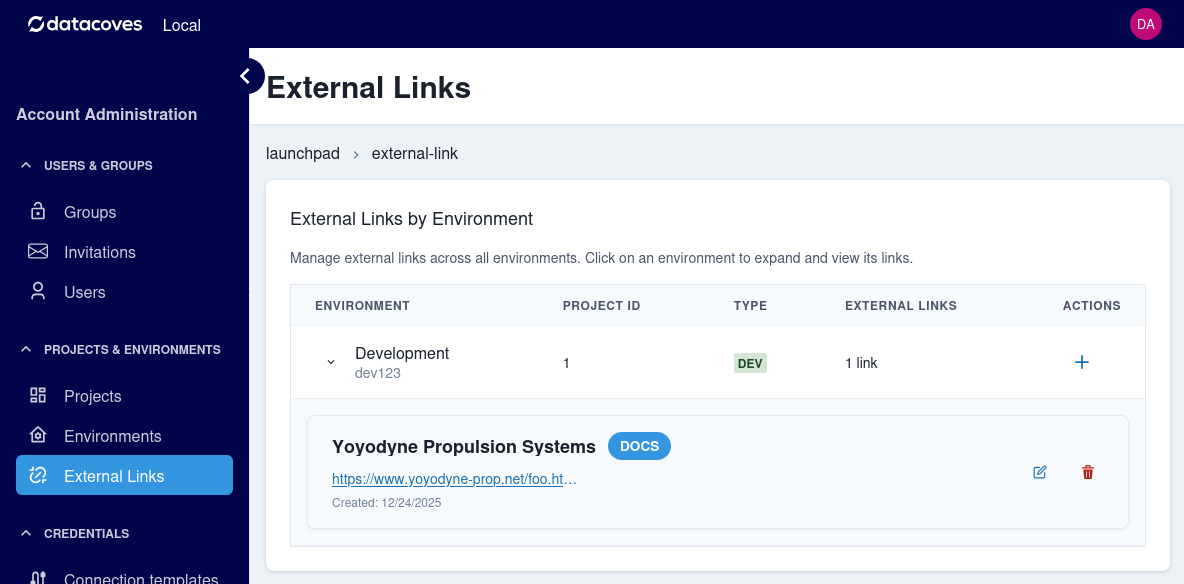
You may choose an environment and look at the links already made.
- Edit and delete options are next to each link
- To add a link, click
+next to the environment you wish to add a link to
When editing or adding a link, a small dialog will appear. You can then add the title as you wish it to appear in the menu, a URL, and the tab it should appear under:
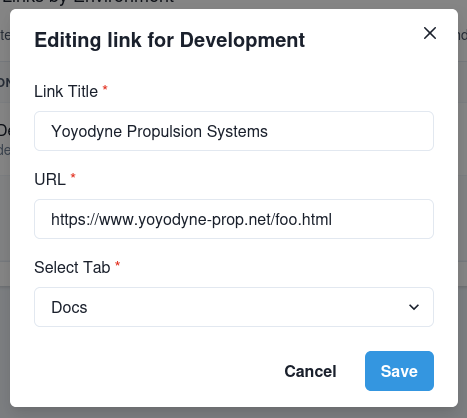
When finished, click Save.